One week with Omarchy
It's been more than 12 years since Linux was my daily driver. Linux Mint was the last distro I used before going to the dark side. Back then mainly for it's "It-just-works" appeal.
But with all the buzz and noise from DHH about Omarchy I decided to see what the fuss is all about.
It's great!
Following DHH advise, i purchased a Beelink mini PC and installed Omarchy in less than 10 minutes. My Apple Study Display didn't work during installation, but once the Omarchy OS was loaded it came up the way you'd expect. Camera, Devices, Wifi, Bluetooth, Screen resolution.… all just works out of the box.
Anyone who has used Linux before knows what an achievement that is.
Here are my first impessions after a week with Omarchy:
It's so fast
It's so frigging fast!
Booting, opening a new window, switching workspaces, running Prezly locally, installing s ystem updates. Everything feels instant.
Over the next days, I kept adding more work to the machine. Hermes, 12 ChatGPT sessions, local dev setup, video encoding. It remained responsive and speedy throughout.
Window Management
On my mac, i had built a pretty elaborate window management setup using Raycast (Hyper key) and a bunch of shortcuts for opening or positioning apps on my (single workspace) desktop.
Omarchy takes a whole new approach (based on . Windows are tiled automatically across seperate workspaces. When you open an app, the OS places it where it thinks it belongs. You can then flip it, make it bigger or send it to a different workspace.
It takes a few days to get used to. Once it clicks, though, it's hard to go back.
I no longer hunt for a particular window. Nothing floats over the work i'm trying to do. No hammering `Alt+Tab` because MacOS has somehow hidden the window i'm looking for.
It looks fantastic
Omarchy looks amazing out of the box. I you're tired of the stock look, open the theme switcher and pick another one.
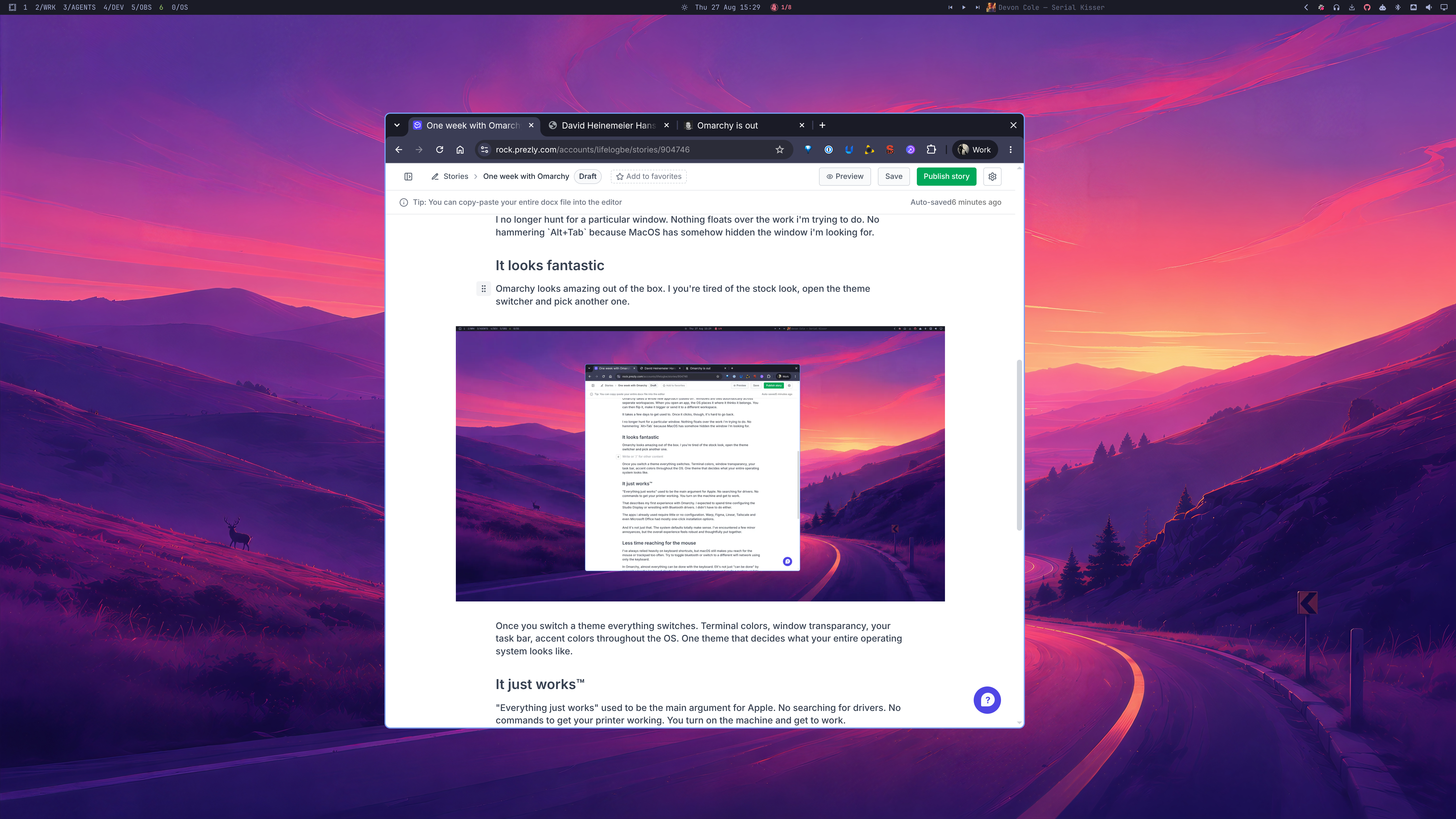
Once you switch a theme everything switches. Terminal colors, window transparancy, your task bar, accent colors throughout the OS. One theme that decides what your entire operating system looks like.
It just works™
"Everything just works" used to be the main argument for Apple. No searching for drivers. No commands to get your printer working. You turn on the machine and get to work.
That describes my first experience with Omarchy. I expected to spend time configuring the Studio Display or wrestling with Bluetooth drivers. I didn't have to do either.
The apps i already used require little or no configuration. Warp, Figma, Linear, Tailscale and even Microsoft Office had mostly one-click installation options.
And it's not just that. The system defaults totally make sense. I've encountered a few minor annoyances, but the overall experience feels robust and thoughtfully put together.
Less time reaching for the mouse
I've always relied heavily on keyboard shortcuts, but macOS still makes you reach for the mouse or trackpad too often. Try to toggle bluetooth or switch to a different wifi network using only the keyboard.
In Omarchy, almost everything can be done with the keyboard. EIt's not just "can be done" by remembering the keyboard shortcuts to open apps, move them around or do a system update is just how things are done. I've heard DHH describe it as "once you know the keyboard shortcuts it feels like an awesome Tekken combo you just nailed" and that's just it.
Two days after switching, I forgot to switch my logitech mouse to the other device. It took me about twenty minutes to notice i didn't have a mouse.
An operating system I can customise
The is the part that really blows my mind: I can ask a clanker to change my operating system, and it actually can.
In my first week, I used an LLM to make several changes in one shot
- Turn Capslock into an application launcher. Capslock + L Linear, + H Hermes, +F Figma
- Add a 'disable monitor' option to the system menu
- Introduce a workspace label so i can name my spaces (DEV, WRK, OS, SOCIAL)
The idea that you can tell your LLM to customise the system you're working on feels like the beginning of something entirely new and magical.
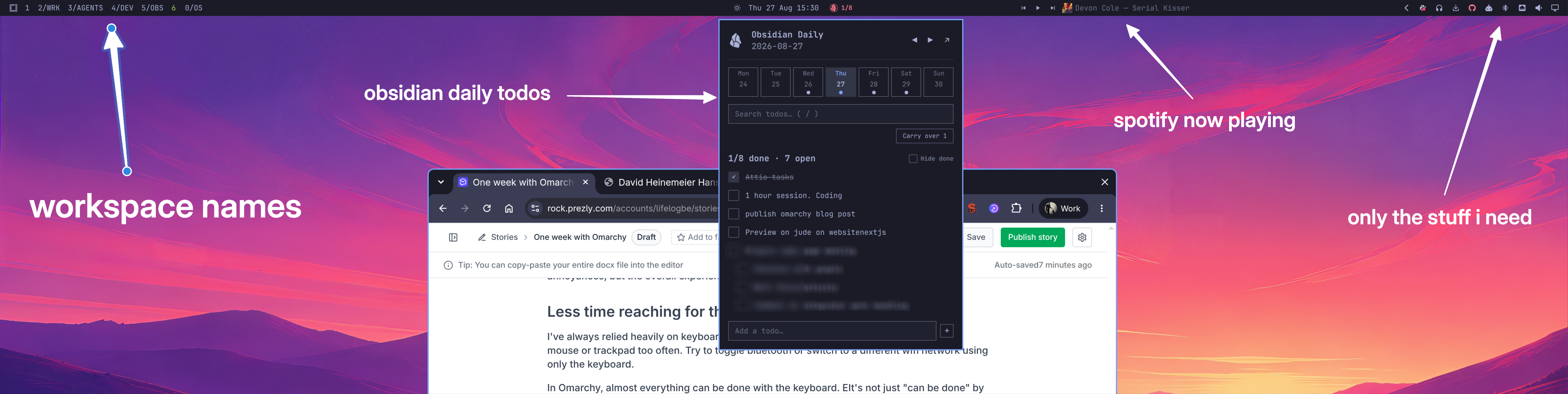
Don't like the fact that Apple forces system updates down your troat? Change it! Want a workflow the people building Omarchy never considered? Built it.
I will be posting a bit more about specific solutions i found to some of the things my Mac setup still handled better.
But i don't think i'm going back